Download Gplex Extended
|
UpdatesOnce installed, your userscript manager checks this site for new versions by itself and updates to the latest. On a modern computerYou can also install the same file from GitHub over HTTPS: Windows XP, Firefox 52?Use Gplex Legacy, below. Older versionsEvery version since 2.5.3 can be downloaded from the Changelog. Source code |
Gplex Legacy: for old browsers
|
Gplex Extended needs a browser from the last few years. Gplex Legacy is the same Gplex, built to run on old browsers such as Firefox 52 ESR, the last Firefox for Windows XP and Vista. Google sends browsers this old a lighter version of its pages. Gplex Legacy restyles those in every layout: Google Search's home page and results, Images, Videos and News, the Gplex settings page and Google's error pages. Gmail opens in the period's look too. Other Google services may not work at all in browsers this old, and Gplex Extended for YouTube is not included. 4.0 MB - 0 downloads. Install a userscript manager for your browser first (on Firefox 52, Greasemonkey 3). Don't install Gplex Legacy and Gplex Extended in the same browser. |
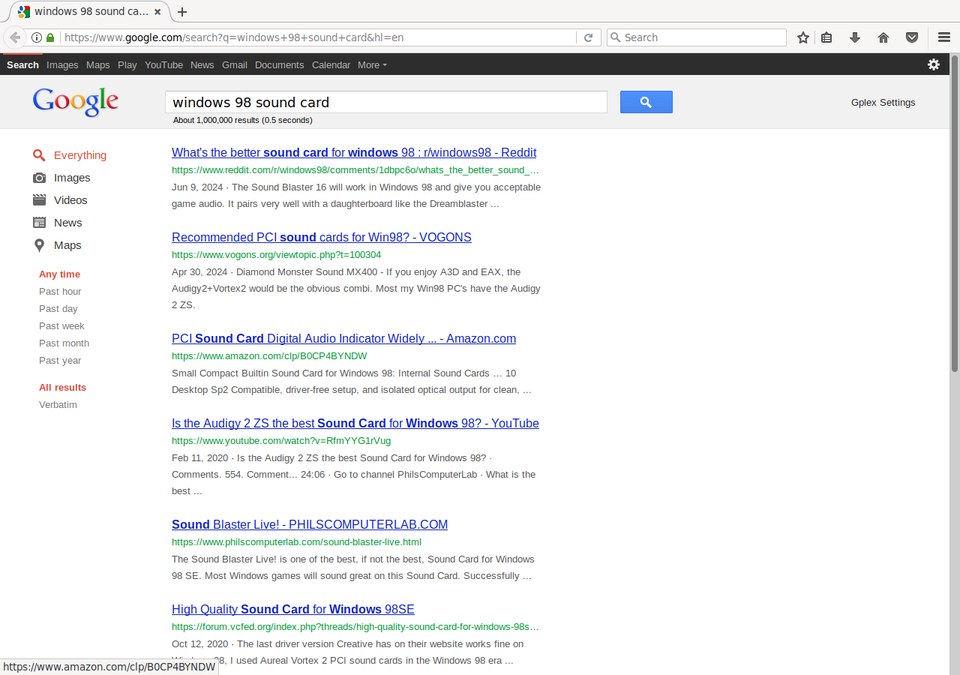 Gplex Legacy in Firefox 52: live Google, Late 2011-Early 2012 layout |